
X++ Show Cross-Reference With Read/Write field reference
March 24, 2026
From the first release of Visual Studio for X++ development, one of the top ideas was to improve cross-references - specifically, to add a Read/Write modifier in the Cross-Reference form:
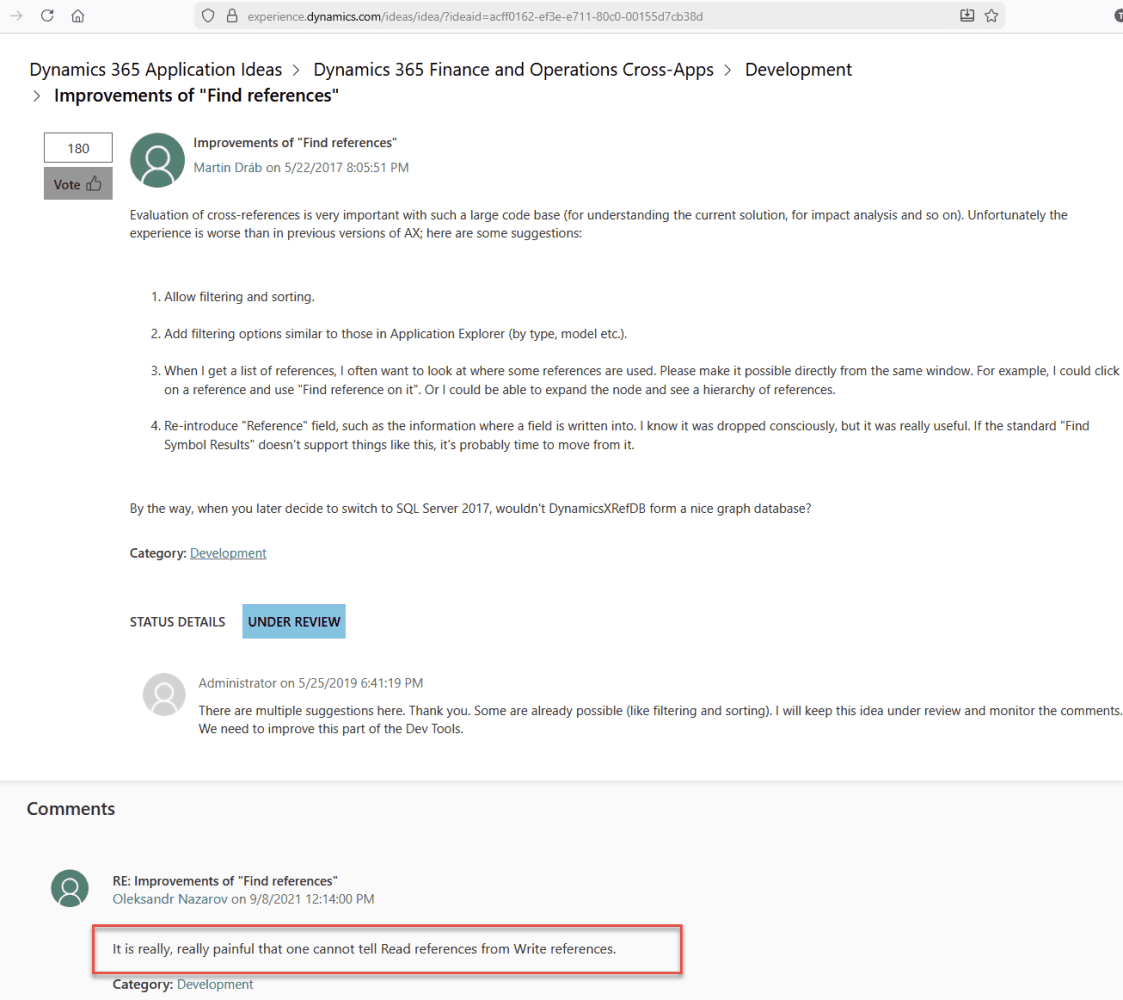
I don't know why Microsoft has not been fixing this for so long. In the latest release 10.0.47 they introduced a new Cross-reference form (with Model and Type grouping), but still don't address the main issue: Read vs Write references for table fields.
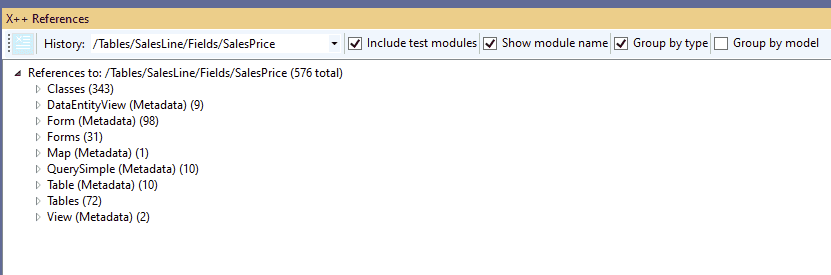
This is quite a typical task in X++ development: you have a table field and want to know which code updates this field.
Recently, I managed to connect Claude Code to the TRUDUtilsD365 DevTools project, and it was able to implement this feature(The main challenge was teaching Claude how to work with standard D365 DLLs - once that was sorted, it handled the rest).
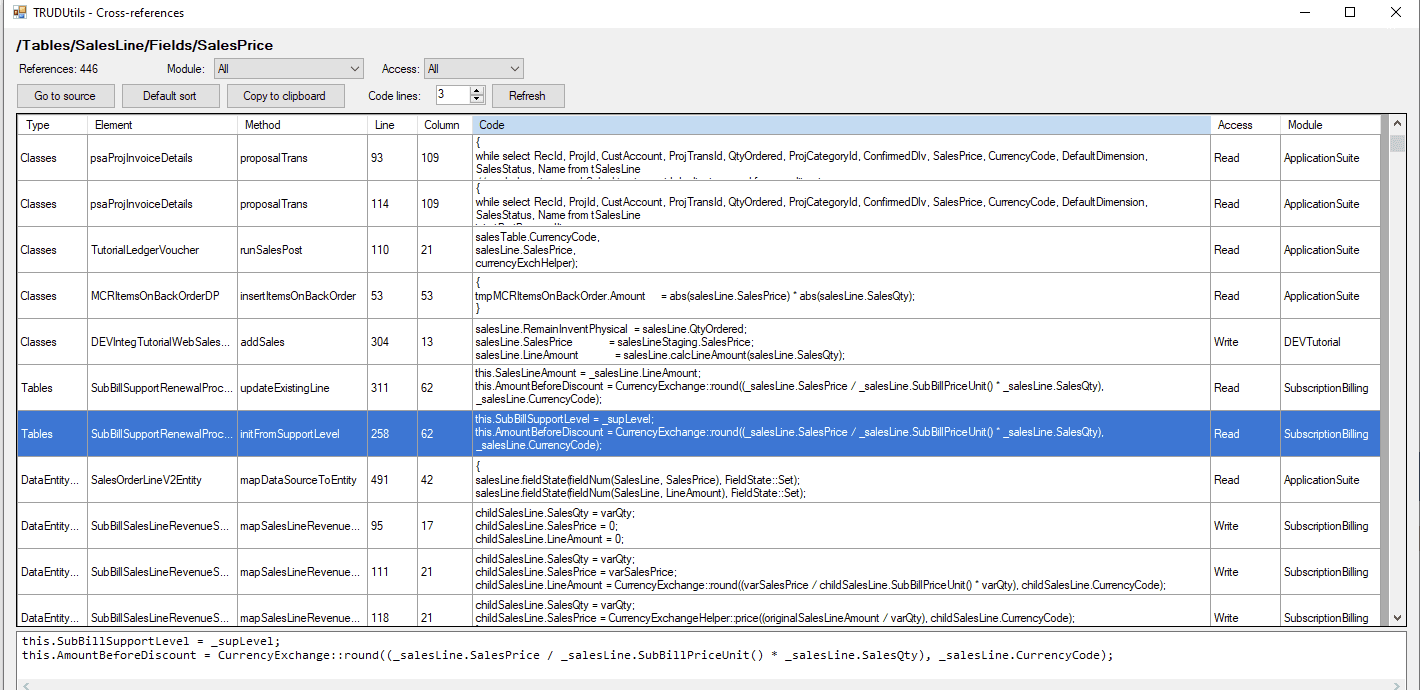
So a new release of TRUDUtilsD365 DevTools includes a "Show Cross-Reference" Add-in that displays Read/Write access type for field references.
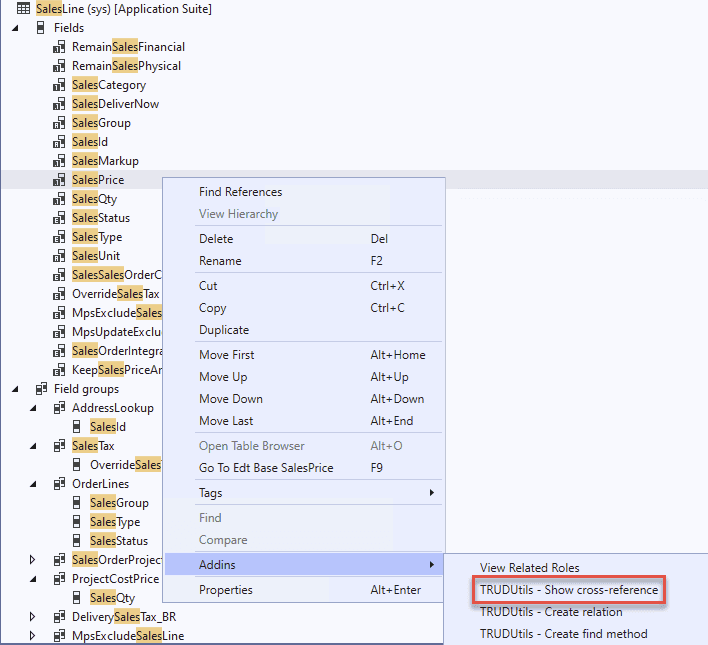
The idea is simple: find all code references to a field, extract the code line, and analyse whether it's a Read or Write. Currently, the detection looks for the "=" symbol - if the field is on the left side, it's a Write; everything else is Read. It also handles patterns like setField(fieldNum(...)).
I tested it on several popular fields, such as SalesLine.SalesPrice and it works great. The tool also displays the actual code line (configurable - one or several lines of context), so you can visually confirm what the code does.
View for 1 line:
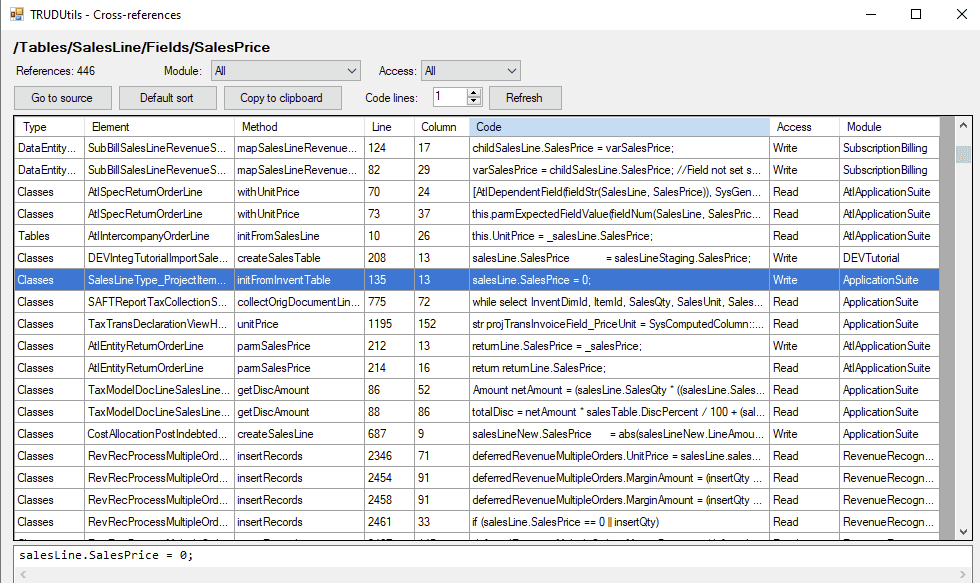
View for 3 lines:
Other features:
- Supports tables, classes, forms, views, data entities, enums, methods, and extensions
- Filter by module and access type
- Go to source navigation (opens the X++ file at the exact line)
- Copy to clipboard (paste-friendly for Excel)
The tool is open-source and 100% AI-written, so if you're missing something, you can ask Claude to add it.
I hope you find this tool useful. Install it from here
Feel free to ask questions! (The original post for this tool is here: https://www.linkedin.com/pulse/x-show-cross-reference-readwrite-field-reference-denis-trunin-0p8ec ).
Tagged with:
Written by Denis Trunin
Similar posts: